
Smart switch automation options for Australian homes
Updated: Nov 11
Choosing between Clipsal Iconic and HPM Arteor for smart switchboard and switch automation starts with the controls you need, not just the wall plate. Clipsal Iconic smart switches are available in Bluetooth and Zigbee options, and a home setup can include dimmers, sensors, sockets and timers.
It’s easy to focus on the switch brand and overlook how the devices will work together. The ecosystem matters too, especially when adding automation to an existing home or planning a move from one system to another.
This guide explains the options, how to assess ecosystem compatibility and what to consider when scheduling lights and appliances. You’ll get a clearer picture of which controls suit your routines and how a considered plan can make everyday automation more practical.
Table of Contents
Smart switch, dimmer, sensor, socket and timer control
The Clipsal Iconic vs HPM Arteor smart switchboard and switch automation decision starts with the controls and routines your home needs. Australian smart-home options include switches, dimmers, sensors, sockets and timers.
Lighting and Electrical Load Control
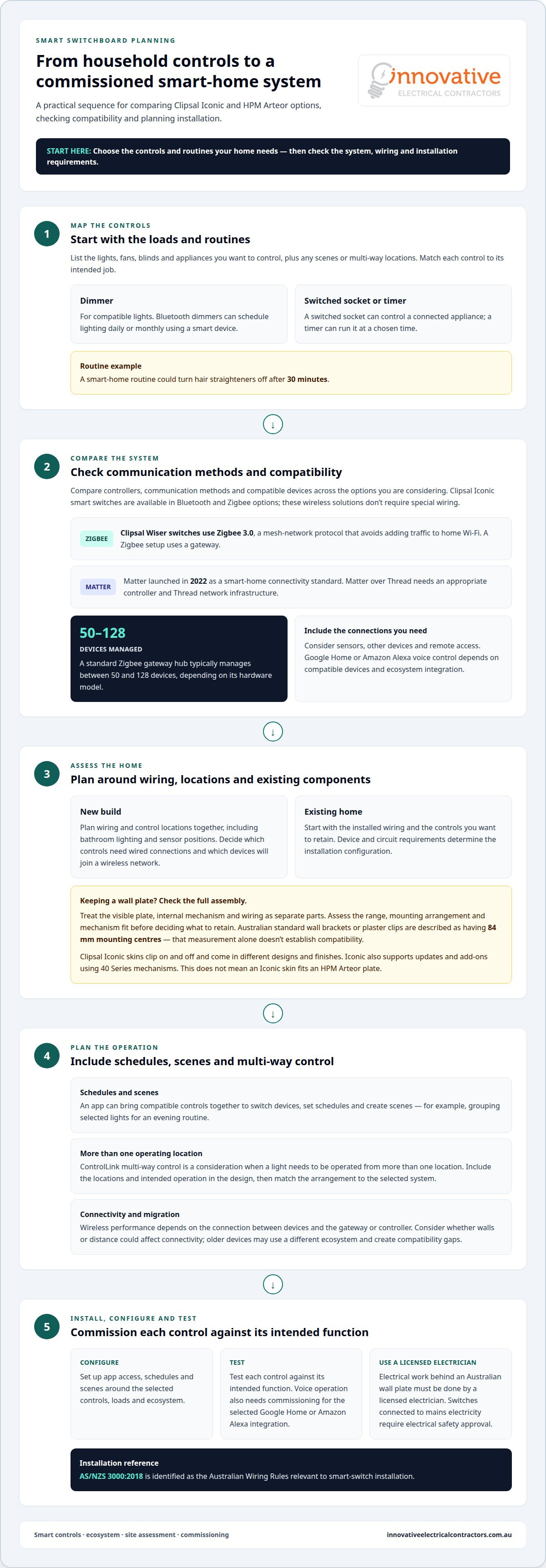
Clipsal Iconic smart switches come in Bluetooth and Zigbee options, wireless solutions that don’t require special wiring. Bluetooth dimmers can schedule lighting daily or monthly using a smart device. Match each control to its electrical load: a dimmer suits compatible lights, while a switched socket can control a connected appliance. For example, a smart-home routine could turn hair straighteners off after 30 minutes.
Whether Clipsal Iconic or HPM Arteor controls lights, fans, blinds or scenes depends on compatible devices and the selected system. Electrical work behind an Australian wall plate must be done by a licensed electrician, and switches connected to mains electricity require electrical safety approval. For ongoing property maintenance and safe switch installation, providers like synergytrades.com.au offer specialised electrical trade services. AS/NZS 3000:2018 is identified as the Australian Wiring Rules relevant to smart-switch installation.
App Scheduling and Scene Control
An app can bring compatible controls together, letting you switch devices, set schedules and create scenes. For example, a scene could group selected lights for an evening routine, while a timer runs a connected appliance at a chosen time. Google Home or Amazon Alexa voice control depends on compatible devices and ecosystem integration, so include these requirements when comparing Clipsal Iconic and HPM Arteor for smart switchboard and switch automation.
ControlLink multi-way control is another consideration when a light needs to be operated from more than one location. Include the locations and intended operation in the design, then match the control arrangement to the selected system. This helps distinguish a simple switched circuit from a broader smart-home setup.
Automation Setup and Commissioning
For Clipsal Wiser or HPM Arteor automation, the selected controls are configured around the loads, routines and ecosystem. Setup can include app access, schedules and scenes, followed by testing each control against its intended function. Voice operation also needs commissioning for the chosen Google Home or Amazon Alexa integration.
Wiser smart controls and other ranges can differ in communication methods and compatible devices. Identify which lights and appliances need control, along with any multi-way locations. This gives the installer a clear basis for configuring and commissioning the system.
Smart-home ecosystem and migration considerations
Choosing between Clipsal Iconic and HPM Arteor for smart switchboard and switch automation depends on the devices and connections in your home. Compare each system’s controllers, communication methods and compatibility before planning an upgrade.
System Features and Compatibility
Clipsal Wiser switches use Zigbee 3.0, a mesh-network protocol that avoids adding traffic to home Wi-Fi. Matter launched in 2022 as a smart-home connectivity standard. Matter over Thread switches need an appropriate controller and Thread network infrastructure. In a Clipsal Iconic vs HPM Arteor smart switchboard and switch automation comparison, consider which sensors and other devices need to connect, and how remote access fits your setup.
New Builds and Retrofit Choices
For a new build, plan wiring and control locations together, including bathroom lighting and sensor positions. This helps establish which controls need wired connections and which devices will join a wireless network. In an existing home, start with the installed wiring and the controls you want to retain. Clipsal Iconic Bluetooth and Zigbee options are wireless solutions that don’t require special wiring.
Hub, Gateway and Neutral Wire Requirements
A Zigbee setup uses a gateway. A standard Zigbee gateway hub typically manages between 50 and 128 devices, depending on its hardware model. Matter over Thread needs a suitable controller and Thread network infrastructure. For any switch, the specific device and circuit determine the relevant installation requirements, so the installer assesses the equipment and existing wiring before selecting a configuration.
Reliability and Connectivity Issues
Wireless performance depends on the connection between devices and the system’s gateway or controller. Plan device locations and consider whether walls or distance could affect connectivity. During migration, older devices may use a different ecosystem, creating compatibility gaps. A focused device list can help keep the setup straightforward. Where wiring changes are needed, electrical services can support the installation.
Keeping existing Clipsal or HPM wall plates when adding automation
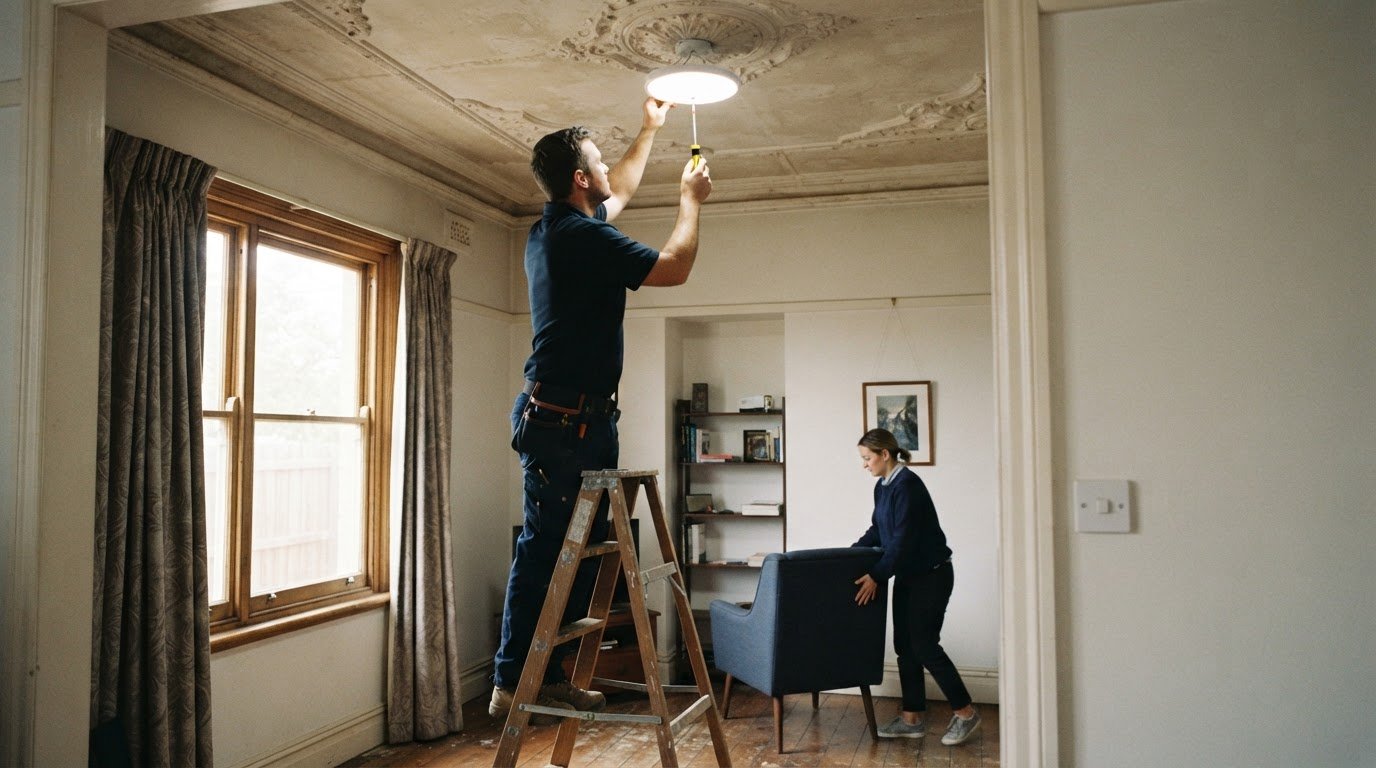
Keeping an existing Clipsal or HPM wall plate can preserve a familiar look, but the plate and smart mechanism must be compatible. Treat the visible plate, internal mechanism and wiring as separate parts of the installation. A matching brand name alone doesn’t mean an older plate will suit a new control.
Start by identifying the existing range and the proposed smart switch. Then assess the mounting arrangement, mechanism fit and available wiring before choosing what to retain. Australian standard wall brackets or plaster clips are described as having 84mm mounting centres, but that measurement alone doesn’t establish compatibility with a particular plate or mechanism. The complete assembly matters.
Clipsal Iconic offers a flexible approach to appearance: its skins come in different designs and finishes, and clip on and off. Clipsal Iconic also supports updates and add-ons using 40 Series mechanisms. Those details can help inform a plan for an Iconic installation, but don’t mean an Iconic skin fits an HPM Arteor plate. Keep the selected range consistent unless the specific components are designed to work together.
For an existing HPM Arteor installation, assess the actual plate and mechanism rather than assuming a Clipsal smart switch will fit. A practical installation sequence is to identify the existing components, assess the wiring and mounting, select compatible controls, then test their operation. Electrical work behind a wall plate must be performed by a licensed electrician in Australia, regardless of brand or protocol. Mains-wired switches also require electrical safety approval, and consulting professionals such as Brighter Sparks Electrical Pty Ltd ensures setups comply with standards. This approach can help retain existing finishes where the components allow, while avoiding a mismatch between the button, plate and smart mechanism.
Scheduling lights and appliances
A useful schedule starts with a specific routine, not a list of every device. For example, a heated towel rail can run between 6 and 9 am each day. That timing can suit a morning routine, while lights in a hallway can be set to operate around the times they’re regularly needed. Keep each schedule tied to a clear purpose.
Next, identify the control point for each load. A light circuit, smart socket and towel rail may use different controls, so the automation plan needs to account for the device and its connection. Set the intended days and start and finish times in the relevant control app, then test whether the lights or appliance operate as planned. This can catch a schedule assigned to the wrong control point.
Connectivity also affects how an app-based routine communicates with its controls. A scheduled action requires the relevant device and system to work together. If Amazon Alexa is part of your home setup, treat voice control as a separate way to operate compatible devices, rather than assuming a spoken command replaces a programmed schedule. Keep routine names and device labels clear.
Plan exceptions as carefully as the regular timetable. A bathroom towel rail might suit a regular morning schedule, while a light used at varying times may be better controlled manually or through a scene. Consider who uses each room and whether a fixed schedule still makes sense on weekends. Clear device names make it easier to see which control or routine affects each load.
For a practical setup, list the lights and appliances, note the desired operating times, and group only devices with the same routine. Then configure the controls and test each scheduled point. If you’re planning installed automation, arrange electrical work to suit the devices and routines in your home.
Innovative Electrical Contractors
Innovative Electrical Contractors can help assess how smart-switch automation fits your home’s electrical setup. If you’re weighing Clipsal Iconic against HPM Arteor or planning controls for a new build, start with your existing wiring, the devices you want to automate and the ecosystem you intend to use.
Innovative Electrical Contractors provides electrical services relevant to your project, including switchboard upgrades and fault finding. This can help when an existing installation needs attention or when you’re planning changes alongside new automation. A clear brief covering your preferred switches, routines and connected devices helps shape the next steps.
Plan your next automation step
The right choice isn’t just a switch brand. It’s the setup that fits your home, routines and plans for future devices. When deciding between Clipsal Iconic and HPM Arteor for smart switchboard and switch automation, consider how today’s controls will support the way you want to use your home in future.
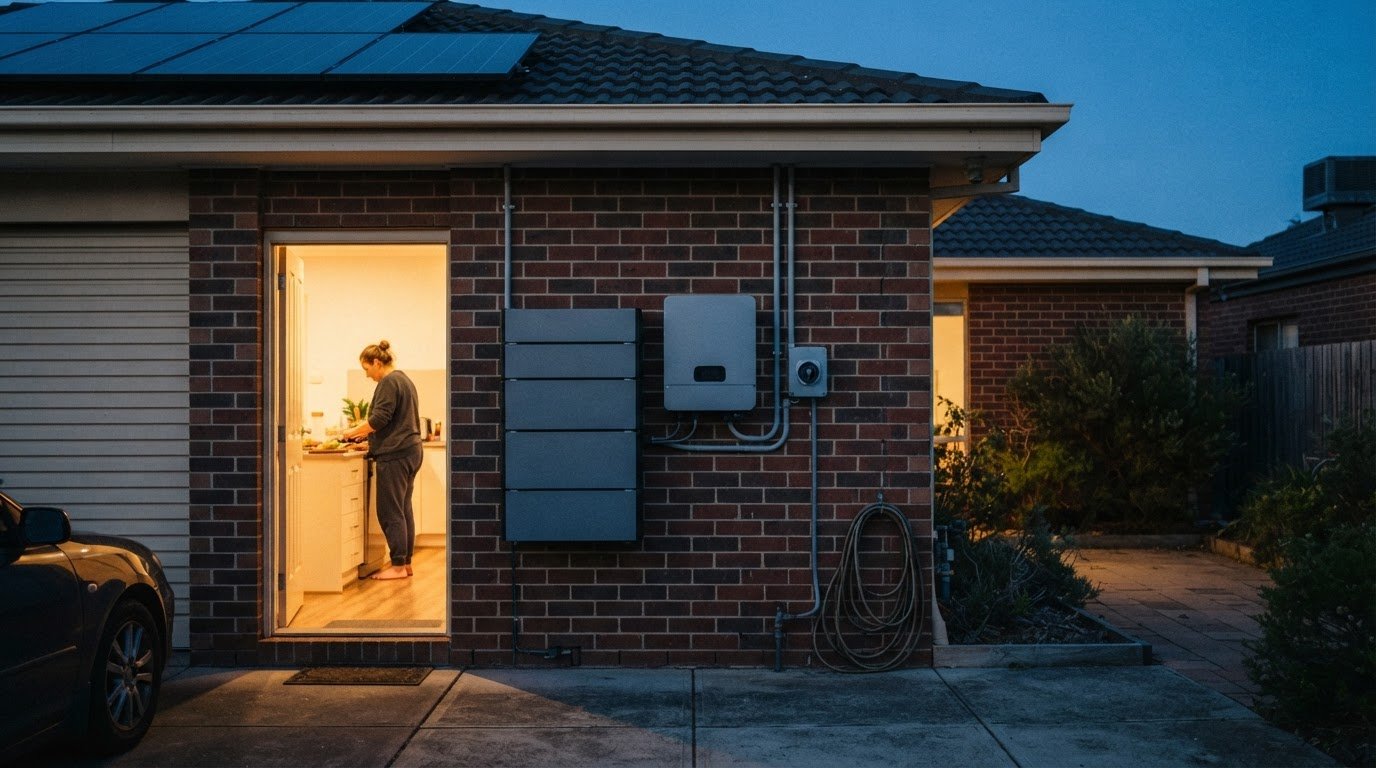
Innovative Electrical Contractors handles electrical projects, from commercial and general electrical services to off-grid solar, battery and generator installations. A clear outline of your home’s existing setup and the automation you have in mind gives the conversation a practical starting point.
Discuss your electrical project with Innovative Electrical Contractors and take the next step towards a setup that suits your home.
Frequently Asked Questions
What smart home options are available?
Australian homes can combine smart switches, dimmers, sensors, sockets and timers to control different electrical points. For example, a sensor can support automatic lighting in a passage, while a smart socket can control a compatible plug-in device. Clipsal Iconic Bluetooth and Zigbee options provide different connection pathways. Choose controls for the tasks you want to automate, then consider how they’ll fit your existing devices.
What is the difference between Clipsal Iconic and HPM Arteor switches and power points in Australia?
The practical difference depends on the specific switch or power point, its functions and its smart-home compatibility. Clipsal Iconic smart switches are available in Bluetooth and Zigbee options, and the connection method affects how they join a system. Compare the controls you need, such as switching or dimming, and check whether they suit your intended setup. Don’t assume similarly named ranges offer identical smart features.
Which Clipsal Iconic and HPM Arteor switch mechanisms and wall plates are interchangeable or compatible?
Don’t assume Clipsal Iconic and HPM Arteor mechanisms or wall plates are interchangeable. Compatibility depends on the specific plate, mechanism and mounting arrangement, not simply a shared function or similar appearance. For example, matching a replacement switch to an existing plate means identifying both components and checking that they fit together. A licensed electrician can assess the parts and wiring before installation or changes.
How do Clipsal Wiser and HPM Arteor automation systems compare for features and compatibility?
Clipsal Wiser switches use Zigbee 3.0, a mesh-network protocol that avoids adding traffic to home Wi-Fi. HPM Arteor and Wiser compatibility depends on the selected system and connected devices, so compare communication methods and device compatibility for your setup.
Do Clipsal Iconic and HPM Arteor integrate with Apple Home, Google Home, Alexa, Matter or Home Assistant?
Google Home and Amazon Alexa voice control depends on compatible devices and ecosystem integration. Matter over Thread requires a suitable controller and Thread network infrastructure; the material does not establish specific integration with Apple Home or Home Assistant.

Comments